
Feb 22, 2025 · Student guides · 4 min read
BoursePad Scholarship Application Guide
Learn how to apply to existing scholarships on BoursePad or create your own scholarship request for sponsors to review.
Start with the two required verifications.
Before you can access all scholarship features on BoursePad, complete your email verification and profile verification. Email verification confirms your identity and helps secure your account. Profile verification unlocks scholarship access and helps sponsors trust the information they are reviewing.
A complete, accurate profile gives your application a stronger foundation. Sponsors need to understand who you are, what you are studying, and why support matters.
You can either apply to an existing scholarship or create your own scholarship request for sponsors to review.
Path A
Apply to an existing scholarship.
If a sponsor has already posted a scholarship that matches your needs, log in as a student, go to your dashboard, and browse the Scholarship Opportunities section. Open each opportunity carefully before you apply.
Review the scholarship amount, required documents, selection process, eligibility criteria, and any special instructions from the sponsor. If it fits your profile, click Proceed and complete the application form.
What to prepare before submitting an application.
A strong scholarship application usually includes accurate personal information, education details, guardian details where applicable, correct bank details, a clear reason for the scholarship, and any required supporting documents such as essays, transcripts, statements, receipts, or recommendation letters.
After submission, BoursePad reviews the application for ethics and standards before approval. The sponsor is then notified and can follow up through the platform process.
Track your scholarship status.
After applying, visit the Scholarship tab in your dashboard to monitor your progress. If your application is under review, it has been submitted and is being evaluated. If it is accepted, the sponsor has approved your application. If it is rejected, you were not selected for that opportunity and can still apply to others.
Once accepted, the scholarship appears in the sponsor's dashboard and funds can be disbursed to your registered bank account.
Path B
Create your own scholarship request.
If you do not find an existing scholarship that matches your needs, you can create a scholarship request. This makes your verified request visible to sponsors browsing BoursePad.
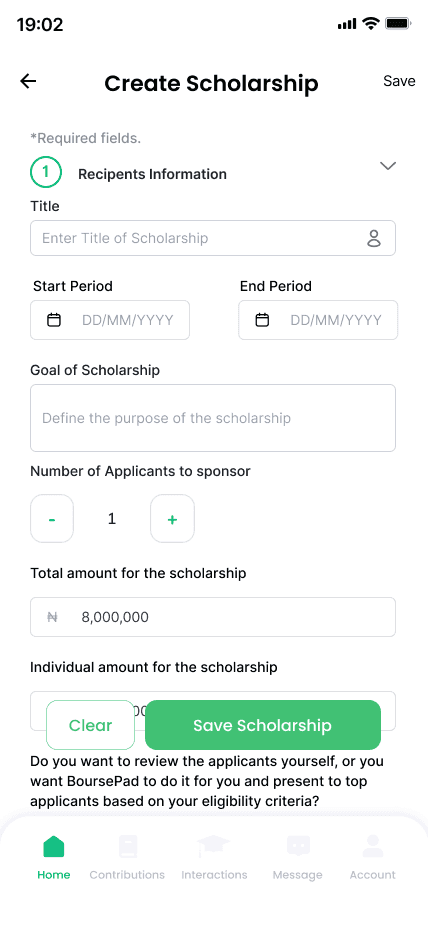
From your dashboard, select Scholarship, then choose Create Scholarship Request. Complete every section carefully so sponsors have enough information to understand your need.
What goes into a scholarship request.
Your request should include the scholarship type, educational background, financial information, student ID where applicable, enrolment status, scholarship period, reason for scholarship, extra details, and supporting documents.
For tertiary students, financial information may relate directly to the student. For primary and secondary students, guardian financial information may be needed. Be honest, specific, and complete.
Tips to improve your chances.
Complete your profile first. A verified and detailed profile builds sponsor confidence. Be specific and honest when explaining why you need support. Upload strong documents such as transcripts, letters, receipts, or evidence of financial need.
Apply to multiple relevant scholarships, check your status regularly, and make sure your bank details are accurate. Small mistakes can delay or prevent support from reaching you.
Quick checklist before you submit.
Confirm that your email and profile verifications are complete. Make sure you are logged in as a student, your personal and education details are accurate, your reason for scholarship is clear, your supporting documents are uploaded, and you have read and agreed to the platform terms.
If you are creating your own request, also confirm your scholarship type, financial information, enrolment status, scholarship period, and any extra details that can help a sponsor understand your situation.
Download the full guide.
The full PDF includes the step-by-step flow, application details, status meanings, and quick reference checklists for both applying to scholarships and creating scholarship requests.
Open the BoursePad Scholarship Application Guide or visit the BoursePad resources page to find more student support materials.
Keep the guide handy
Download the full scholarship application guide.
Use the PDF checklist while creating your profile, applying to scholarships, or preparing your own scholarship request.